Showing posts with label Google. Show all posts

Gmail's new "Undo Send" Feature

Posted by Prem Godara | 3/22/2009 12:54:00 AM | , , , | 2 comments »

This is not the first time that Google has introduced a feature to protect individuals from themselves. Have you ever been in a situation where you send an email message and immediately realize it was a mistake Where you accidentally sent something to the wrong recipient or simply regret writing that message or forgot to attach the file etc.,? If yes, then Google has unveiled a solution for you. The new “Undo Send” feature in Gmail. Gmail has added an "Undo Send" feature which can recall messages that you send. It should be within five seconds after clicking on the Send button.

"This feature can't pull back an email that's already gone; it just holds your message for five seconds so you have a chance to hit the panic button. And don't worry - if you close Gmail or your browser crashes in those few seconds, we'll still send your message," said Michael Leggett, Gmail user experience designer, in the Gmail Blog.

To activate Undo Send, go to the Settings/Labs tab in Gmail, enable it, and you're set. Once it is active you will see a new undo link on every sent email confirmation, which gives users a quick five second window (with an option to increase this to 10 seconds) to take the message back into the Gmail editor.


Read more...

GrandCentral Upgraded to Google Voice

Posted by Prem Godara | 3/16/2009 12:01:00 AM | , , , | 0 comments »

Google has just released a preview of Google Voice, an application that helps better to manage the voice communications based on the original strategy GrandCentral as a free service of VoIP. Google Voice will be available initially to existing users of GrandCentral, a service that they acquired in July of 2007. Many number of improvements has been added to GrandCentral and the service is being relaunched as Google Voice.

The transformation from GrandCentral to Google Voice for the existing GrandCentral users, will be done in the next couple days. The instructions will be sent to the  GrandCentral inbox on how to start using Google Voice. Google will be launching the same for the others very soon.


The new application improves the way to use the phone. The features that are added to Google voice over the GrandCentral are
  •   Voicemail Transcription
  •   SMS Support
  •   Conference Calling
  •   GOOG-411 Integration
  •   Low Cost International Calling
Also, the contacts can be integrated from GrandCentral to Google address book. Voicemail Transcriptions will allow the user to listen to the voicemail messages and, to choose to have the new voicemails automatically transcribed. These transcriptions will be saved in the inbox and can be retrieved using search for voicemails. Similarly many other new features are been added to Google Voice which makes it to differ from GrandCentral.


Read more...

Google Mars Service Updated

Posted by Prem Godara | 3/15/2009 12:51:00 AM | , , | 0 comments »

Google Mars is a map of Mars, published by Percival Lowell in 1895, was the result of many years spent carefully studying the Red Planet through his telescope. Now the same can be seen through your Web browser. Google Mars was at first an in-browser version of Google Maps which provides a visible imagery view, like Google Moon, as well as infrared imagery and shaded relief (elevation). Users can toggle between the elevation, visible, and infrared data, in the same manner as switching between map, satellite, and hybrid modes of Google Maps. In collaboration with NASA scientists at the Mars Space Flight Facility located at Arizona State University, Google has provided the public with data collected from two NASA Mars missions, Mars Global Surveyor and 2001 Mars Odyssey.

Now Google has updated its Google Mars service to show more details of Mars both in its history and the present day. Users can access images from the Themis camera on the Mars Odyssey spacecraft. They can also view antique maps of Mars from over a century ago, as well as the latest images from the Mars spacecraft.


Now, internet users will be able to explore the Red Planet's surface, keep track of orbiters and see the 'face' in the planet's surface. They will also be able to go on virtual fly-bys with the Odyssey and Mars Reconnaissance Orbiter. The new initiative has led bookies to slash the odds on the possibility of finding life on Mars from 500/1 to 50/1.

Scientists believe Mars is the most likely planet to harbour liquid water, and perhaps even primitive life. Mars is currently also host to three functional orbiting spacecraft – Mars Odyssey, Mars Express, and the Mars Reconnaissance Orbiter.


Read more...

Google's popular email service Gmail, which has over 110 million users worldwide, went offline for more than two hours, affecting Cyber users throughout the world, especially in Europe and India. Apparently users accessing the web version of the email were experiencing problems, with the POP (Post Office Protocol) downloading and mobile access through iPhone and Google's own G1 it was working fine.

Gmail LogoGoogle posted on its support page that, "We're aware of a problem with Gmail affecting a number of users. This problem occurred at approximately 1.30 a.m. Pacific Time. We're working hard to resolve this problem and will post updates as we have them. We apologize for any inconvenience that this has caused,".
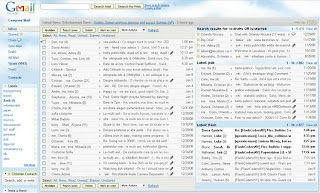
For this, a Galway man today filed a €47,000,000 lawsuit against Google for the outage to its Gmail service. Critics of the lawsuit have pointed out that Gmail is an entirely free service and as such people don’t really have any right to complain.

However, O’Toole’s lawyer, Dan O’Mahony, told us “Wherever there is the slightest injustice we shall be there. When the smallest offense is made, no matter how trivial or frivolous it seems to anyone with half a brain, we’ll be there to bleat and make sure that everyone knows we will not stand for it. They might call us pathetic, half-witted grudge-bearers with a transparent agenda but we don’t care”.

Experts say the chance of success for the lawsuit are slim but Google will be hoping to avoid such problems because Microsoft were ordered to pay over €2,750,000 to a Cavan man, who complained against Vista.


Read more...

Google Launches Multiple Inboxes For Gmail

Posted by Prem Godara | 2/16/2009 12:24:00 AM | , , | 3 comments »

Google updates to Gmail Labs have been coming so thick and fast that one could even believe Google is considering bringing the product out of beta. Every day another feature gets added through Google Labs. Since the beginning of January users have been given additional capabilities such as offline access, easier labelling techniques and video via Gmail chat etc., Now Google has announced the most exciting one: Multiple Inboxes.

This feature makes it possible for users to have more than one 'inbox' in their default Gmail view. The look of Gmail changes so that you have your traditional inbox on the left and then a right pane with the emails you want (or need) to see separately.

It’s creator introduces it in his blog post saying:

“I’m seriously into filters and labels. All the email I get related to Flash goes under my “flash” label, everything about paragliding goes under “flying,” and they all skip my inbox because that’s how I like to stay organized. But when new email arrives I have to switch to the “flash” label first, then click on “paragliding,” etc. I wanted a way to see it all at once.”

To select this feature, head over to Google Labs section and enable Multiple Inboxes. Once enabled, it will automatically bring up your draft emails in the right pane but you can configure the feature from Settings so that you can see starred emails or particular folders (which of course Google calls Labels).


You can obviously choose how many inboxes you want. To do the same go to settings and select the Multiple Inboxes tab (after you have enabled the feature). There is great personalisation. You can select the labels and even the number of posts you want to see so that you’re screen isn’t too cluttered.

I think it’s an awesome feature because its almost like having 2/3 screens at once as far as mail is concerned and makes it very convenient if you’re using a lot of labels. This feature was created by Octavian “Vivi” Costache in his 20% time that Google offers their employees.


Read more...

Locate Your Friends Using Google Latitude

Posted by Prem Godara | 2/14/2009 11:24:00 PM | , , , | 0 comments »

Google Latitude  is a useful way to track your location on a mobile phone or GPS laptop. But you can get roughly the same sense of fleeting privacy on any old Wi-Fi PC. Latitude is a new feature of Google Maps that lets users see the real-time location of friends and colleagues. Users can also communicate with each other through Latitude, if they wish.

Now before the privacy people get all worked up, Google built in robust privacy settings, allowing users to share their precise location, a general city-level location or no information at all. You can even lie about your whereabouts. So privacy is not an issue here: you decide who knows what and when. Latitude is currently available in 27 countries and it works on a big list of cell and smartphones, with more coming.

You can use your Google account to sign in and easily invite friends to Latitude from your existing list of contacts or by entering their email addresses. Google Talk is integrated with Latitude, so you and your friends can update your status messages and profile photos on the go and see what everyone is up to. You can also call, SMS, IM, or email each other within the app. Check out this video to see Latitude in action.

Mainly there are two primary ways to use Latitude right now:

   1. On your mobile phone: visit google.com/latitude from your phone's mobile browser to download Google Maps for mobile with Latitude. Currently most of the popular smartphone platforms are supported: Android, Blackberry, Symbian S60, and Windows Mobile, and iPhone will be added to the list soon. It will be available through Google Mobile App, and you'll just need to download or update the app from the App store to find Latitude in the Apps tab.

   2. On your computer: go to http://google.com/latitude from your browser and add the Latitude gadget to your iGoogle homepage. If you've installed Google Gears or if you're using Google Chrome, you can choose to automatically share your location from your laptop or desktop computer -- no smartphone required!

Google Latitude and similar services like BrightKite and Loopt are yet more proof that the future of the Web will be all about maps.


Read more...

Google Earth is also used to dig the past histroy. This is been proven by the recent news that, using Google Earth, a Los Angeles-based musician named Nathan Smith thinks he's found a lost treasure ship that sank somewhere north of Corpus Christi during a hurricane in 1822. But the owners of the land won't let him dig unless a court permits.


A recent book called "Lost Treasures of American History" got Smith to investigate around on his computer and an intriguing pattern near the small town of Refugio made him to drive nonstop to the Gulf Coast with a metal detector in hand.

According to the Houston Chronicle, Smith told a federal judge that Where he had walked he was able to find gold, silver in his initial visit to the site itself. When he stepped out of that area, he could see nothing.

Adding to Smith's convictions is the fact the creek is named Burgentine or Barkentine Creek. The lost Spanish (or maybe Mexican) ship was said to have been a barquentine, a type of three-masted sailing vessel.

Ron Walker, the attorney representing the family that owns the land, says to ABCNews.com, "It was offensive that somebody could go on Google Earth, look down and see what they think, I guess see, under the ground and see a ship and come in and say, 'I want to dig up your property', also they have no proof anything is there and no experience."

The judge plans to rule next month on whether Smith can ask the U.S. Army Corps of Engineers for permission to dig. But even if he does find something, he might be in for more legal fights. The state of Texas is already preparing to file a claim, and the Spanish government recently sued professional treasure-hunters over another long-lost military shipwreck.


Read more...

As a result bringing a kind of solution for the content blocking ISPs, Google has introduced Measurement Lab. Measurement Lab (M-Lab) is an open platform for researchers to deploy Internet measurement tools. By enhancing Internet transparency, it aims to help sustain a healthy, innovative Internet. Now Google, the New America Foundation's Open Technology Institute, the PlanetLab Consortium, and academic researchers are taking the wraps off of Measurement Lab (M-Lab). The network diagnostic tool, meanwhile, can measure the speed of a user's internet connection.

The open platform is still in its infancy, Google says. But it is providing 36 servers to researchers in 12 locations in Europe in the United States, with the hope that they can come up with new applications to improve internet transparency. An application that allows users to monitor if they are being obstructed online isn't new, but Google says M-lab stands for more than just a throttle test - it provides the infrastructure for developing other tools to measure connectivity.

"M-Lab is intended to be a truly community-based effort, and we welcome the support of other companies, institutions, researchers, and users that want to provide servers, tools, or other resources that can help the platform flourish," Google vice-president Vint Cerf and principal engineer Stephen Stuart said on a Google blog.

For more details visit Google Official Blog.


Read more...

After the Mumbai attack, the talk of the town was about theGoogle Earth has helped the terroists who involved in the attack. Google Earth is a virtual globe, map and geographic information program that was originally called Earth Viewer, and was created by Keyhole, Inc, a company acquired by Google in 2004. It maps the earth by the superimposition of images obtained from satellite imagery, aerial photography and GIS 3D globe.

During the month of November, there happened a deadly attacks in Mumbai by the terrorists. Sources says that Google earth was used by the terrorists for the exact map and location and distance etc., Google completely disagrees with this slipshod logic.


Google says, that terrorists can use maps, electronic or otherwise anything, for Evil, which isn’t Google’s fault. The evilness is in the philosophies and the desires of those that want to do evil. They will use the tools at hand to do that, whether it’s throwing a Molotov cocktail, or shooting a rifle or using some piece of technology as part of the process.

Post-Mumbai, Google Earth has been called “the Google threat.” Even the venerable British Army has expressed concern about the program. But we don’t understand how it can. Are we to ban cellphones because, you know, Bad Guy 1 can SMS his location to Bad Guy 2? Or maybe we should shut down Casio for creating the alarm clock that awoke Bad Guy 3 on the day of an attack? It’s silly.


Read more...

If you had noticed today, there was an error occurring in the Google search results which listed all the search results along with a appended warning message as “This site may harm your computer”.

Google’s VP of Search Products Marissa Mayer has just responded to the issue today that marked all Google results with the warning “This site may harm your computer” and advised users not to visit them. The problem, she says, "It was simple human error: when importing the malware list from StopBadware.org, the URL ‘/’ was unintentionally added, meaning that every website would be included".

She also added that, "We do this to protect our users against visiting sites that could harm their computers. We work with a non-profit called StopBadware.org to get our list of URLs. StopBadware carefully researches each consumer complaint to decide fairly whether that URL belongs on the list. Since each case needs to be individually researched, this list is maintained by humans, not algorithms. We periodically receive updates to that list and received one such update to release on the site today. Unfortunately (and here’s the human error), the URL of ‘/’ was mistakenly checked in as a value to the file and ‘/’ expands to all URLs."

She also said, "Thanks to our team for their quick work in finding this and fixing this within 40 minutes. And, our apologies to any of you who were inconvenienced, and to site owners whose pages were incorrectly labeled. We will carefully investigate this incident and put more robust file checks in place to prevent it from happening again."


Read more...

Today the world's number one search engine stumbled with a Malicious Software Warning for sometime around the evening. If you had guessed it Google, you are right. When any text was searched, the list of search results appeared normally as it used to. But every search result had a warning below it saying "This site may harm your computer".

The most peculiar thing was that, even when the text Google was typed in the search box, the same warning was given for google website itself as shown in the below picture. And inspite of the warning when the link was clicked from the search result, the Malware Warning page was displayed.


This problem was fixed in an hour by Google after which the search process became normal. Generally this warning message will appear with search results as when that site might be dangerous that it may install malicious software on your computer.


Read more...

Marijuana Field Spotted Through Google Earth

Posted by Prem Godara | 1/31/2009 11:52:00 PM | , | 0 comments »

Google Earth has proved its use many a times and now its been really interesting that it helped the Swiss police finding out massive fields of weed. Swiss authorities announced today that they had found a large marijuana plantation while using Google Earth.

The discovery was part of an ongoing investigation that has so far led to the arrest of 16 people and the seizure of 1.2 tons of marijuana with a street value of $2.5 million USD. Cash and other valuables were seized as well with a value of over $800,000 USD.

The head of Zurich police's specialist narcotics unit, Norbert Klossner, said the field was in the northeastern canton (state) of Thurgau. The plantation is about 7500 square meters and was hidden inside a larger field of corn. "It was an interesting chance discovery," said Klossner.


Read more...

Get Read Receipts for Your Mails

Posted by Prem Godara | 1/31/2009 11:06:00 PM | , , , , | 0 comments »

There are times when you need some help on keeping track of the emails that you send by way of delivery notifications or read receipts but currently, none of the web-based emails, including Yahoo Mail, Gmail, Hotmail, AOL Mail and many others, offer any kind of delivery notifications or read receipts except rediffmail.com.

Even when you send a message using Microsoft Outlook, Eudora or Lotus Notes (that allow you to request read receipts), the Internet email service would simply ignore the request and you may never get to know if the message was read by the recipients or delivered at all.

There are three ways by which you can know whether your mail has been read by the recipient.

First one is by using a service called SpyPig. It is a simple and freeware online email tracking system that sends you a notification email as soon as the recipient opens and reads your message. The notification email will have details about the IP address and the number of times your email has been read.

Using SpyPig is very simple. Open the SpyPig website and type your email address where you wish to receive the notification and the message title in the notice form. Then choose the tracking image which you want to embed in the email and select the number of times you want to receive notifications.

Next, click the button to create and activate the SpyPig tracking image. Now, just drag and drop the tracking image in your outgoing email message. For SpyPig to work you and the recipient must use HTML-formatted email rather than just a plain-text or rich-text formatted email.

The second option is by using Statcounter. Create a free account in it and go to the install code options, choose invisible tracking button and HTML only counter. Statcounter will now provide you an HTML image snippet that you have to insert inside the body of your HTML email message.

This will be a white GIF image which will be invisible to the human eye and as soon as your friend opens up your email, your statcounter logs will be updated. You will know the details like IP address of his computer and the date time when the email was opened.

The above option won't work if the recipient has configured his email client to block downloading of images from the internet automatically.

The third and the final option is by using Google Analytics. It involves embedding a tracking code as an external link in your email message. Whenever the recipient clicks on that link, Google Analytics will record that the link has been clicked thus indicating that the email has been read.

The advantage of this method is that no image is downloaded on the client's side but it could fail if the recipient doesn't click the hyperlink.

Do leave comments telling which trick helped you better.


Read more...

If you had used the Google Toolbar on Firefox, then you might be pretty familiar with many features of Toolbar 5 (beta) has to offer. Now a couple more features to the Firefox Toolbar are added and the same is available for download. You can download this "second beta" to get all the latest and greatest Google Toolbar features.


The most specialized featured about the beta 2 version is that now you can get a personalized page showing thumbnails of your most visited websites in Firefox just like Google Chrome. This feature is included, so that you can access your most visited websites quickly without having to type a word.

When you open up a new tab, instead of the blank white page you see by default in Firefox, you can instead see small thumbnails of your favorite sites (up to 9), as well as recently-closed and bookmarked pages based on your browser history. If for whatever reason you don't like this updated new tab page, you can always change it back to a blank page or to the website of your choice through either your Toolbar or Firefox settings. Another cool feature is that you have the option to choose which thumbnails are displayed, just click on Edit thumbnails link at the bottom.

This personalized new tab page will surely save few seconds that you used to type in few words at address bar. Apart from this more features are added to the beta 2 release which can checked in the official Google Blog.


Read more...

Google's Street View Car Hits a Young Deer

Posted by Prem Godara | 1/31/2009 10:15:00 PM | , , | 0 comments »

Google Maps has always provided us with countless hours of entertainment and informative images. But this time it is a sad thing to notice that the Google Maps van hit a young deer. This whole incident went instantly to Street View. In New York, a street view car hit a baby deer on Five Points Road and then recorded the whole thing on Google Maps. Nobody noticed until, a person prompting a blog noticed that and then a sequence of five street-level pictures was been removed from the site.

Google replied: "The driver was understandably upset, and promptly stopped to alert the local police and the Street View team at Google. The deer was able to move and had left the area by the time the police arrived. The police explained to our driver that, sadly, this was not an uncommon occurrence in the region - the New York State Department of Transportation estimates that 60,000-70,000 deer collisions happen per year in New York alone -- and no police report needed to be filed."


Generally spotting the street view car was not that very easy. Back in July, the street view car was spotted by many eagle-eyes techies, but Google seemed to want to preserve the mystique of the street view project by staying mum on its tour dates.

For more details visit here.


Read more...

Moving Feedburner Feeds to Your Google Account

Posted by Prem Godara | 1/31/2009 09:31:00 PM | , , | 0 comments »

Many of you might already know that Google acquired Feedburner in 2007 but couple of months ago, Google announced that they would start migrating the feeds hosted on Feedburner to Google’s servers.

Initially, the publishers interested in using the new services like AdSense for feeds migrated but lately, there’s been news spreading about Google forcing Feedburner members to migrate their Feedburner account to their Google Account until February 28th.

If someone fails to make the transition by February 28th, Google mentioned that Feedburner feeds will start reporting a 404!

The following new features will be available after transition
  • You will be able to opt-in for AdSense for Feeds via your AdSense account.
  • Several enhancements have been made to the feed delivery for email. You must check out these settings!
  • Visitor tracking will be retired from Feedburner and you’ll have to use Google Analytics, which doesn’t offer real-time tracking.
  • Feedburner networks are no longer supported.
Steps to Migrate Feedburner Account to Your Google Account

1. If you know which Google Account you’d like to migrate your feed(s) to, go ahead and log into that account first. It’ll make your options for the migration more convenient for you.
1) Log in to your Feedburner account.
2) On your homepage, click on “Move your account now.” present between the yellow bar at the top as shown in the image below.


3) Choose your Google Account where you would like to move your feed to and click ‘Next"’.
4) In the next screen, you will see all of the feeds assigned to the Feedburner account that you’ve signed into.
5) Now, you can now move those feeds. Depending on the size of your RSS feeds, it might take a while though. The good thing is that you can close your browser window and keep working normally while Google’s servers do the work.

If you haven't transferred your feeds till now, then you still have time. In case, if you have already transferred, do let know whether they are working normally.


Read more...

Access Gmail in Offline Mode

Posted by Prem Godara | 1/30/2009 12:37:00 AM | , , , , , | 0 comments »

Have you ever thought of accessing your mails without internet connection? Yes, you can. If you're a Gmail user, Google has just announced that you can use Gmail while offline by installing Google Gears, which is a Google plug-in for Firefox and IE that allows storage of certain information so it can be accessed offline.

Google Gmail LogoOnce you enable offline Gmail, Google Gears downloads a cache of your mail; then, when ever you have a limited or no connectivity, Gmail can switch to offline mode. You can send and receive messages (which will be saved in your outbox and then will be sent when Gmail detects a connection) and also use other Gmail features as if you're online.

Once this option is established throughout, then follow the below steps to activate this feature,

1) Click Settings and click the Labs tab.
2) Select Enable next to Offline Gmail.
3) Click Save Changes.
4) After your browser reloads, you'll see a new "Offline0.1" link in the upper right hand corner of your account, next to your user name. Click this link to start the offline set up process and download Google Gears if you don't already have it.

This feature will be unveiled in couple of days in US or UK. For more details visit Gmail blog.


Read more...

Google Looking for Content Blocking ISPs

Posted by Prem Godara | 1/30/2009 12:01:00 AM | , , , | 0 comments »

Certain ISPs are blocking content which should be visible to the user. Google is looking for ways to sniff out these Internet blockers in an attempt to help users determine if their ISP is inappropriately blocking content. Google is hunting to report them to FCC.

Google chief Internet guru, Vint Cerf posed the question: “When an Internet application doesn’t work as expected or your connection seems flaky, how can you tell whether there is a problem caused by your broadband ISP (Internet service provider), the application, your PC (personal computer), or something else?” It’s not only to protect their search market but also advertising. If ISPs start blocking online advertising Google stands to lose revenue.

This is mainly done because the ISPs are struggling to manage their networks with the ever increasing amount of content flowing freely online. It seems a violation of our rights as net users to have somebody limiting our traffic and our access to important information. Lets see what conclusion does Google bring in.


Read more...

YouTube Allows Users to Delete Comments

Posted by Prem Godara | 1/28/2009 12:12:00 AM | , , | 0 comments »

Google-owned video-sharing site, YouTube on Monday unveiled a new feature which may prove useful to poor spellers or people suffering from "comment regret."

="YouTube"/"Whether you misspelled "pwned," back in the day when you were just a newbie to the internet, or you simply said something you wish you could take back -- now you can remove your commentary at any time," YouTube said in a blog post.

"Of course, we always encourage everyone to think things through before posting comments anywhere on the site. But if you don't get it right the first time, now you can simply delete your comment," it added.

To remove a comment, a user goes to the "Text Comments" section below a video and clicks on the "Remove" button.

Users can delete only their own comments.


Read more...

The long-rumored GDrive is expected to be launched this year, according to the technology news website, which described it as "the most anticipated Google product so far". It is seen as a paradigm shift away from Microsoft's Windows operating system, which runs inside most of the world's computers, in favor of "cloud computing", where the processing and storage is done thousands of miles away in remote data centers.

But the GDrive is still unconfirmed by Google. Google refused to confirm the GDrive, but acknowledged the growing demand for cloud computing. The GDrive would follow this logic to its conclusion by shifting the contents of a user's hard drive to the Google servers. The PC would be a simpler, cheaper device acting as a portal to the web, perhaps via an adaptation of Google's operating system for mobile phones, Android. Users would think of their computer as software rather than hardware.

Home and businesses have been turning toward web-based services, such as e-mail — including popular services Hotmail and Gmail — and photo storage, such as Flickr and Picasa. Users would no longer have to worry about their hard drives crashing, since data would be saved on the Web, and can be accessed from any machine.

"There's a clear direction ... away from people thinking, 'This is my PC, this is my hard drive,' to 'This is how I interact with information, this is how I interact with the web,'" said Dave Armstrong, head of product and marketing for Google Enterprise.


Read more...

Your Ad Here