Showing posts with label Internet. Show all posts

Gmail's new "Undo Send" Feature

Posted by Prem Godara | 3/22/2009 12:54:00 AM | , , , | 2 comments »

This is not the first time that Google has introduced a feature to protect individuals from themselves. Have you ever been in a situation where you send an email message and immediately realize it was a mistake Where you accidentally sent something to the wrong recipient or simply regret writing that message or forgot to attach the file etc.,? If yes, then Google has unveiled a solution for you. The new “Undo Send” feature in Gmail. Gmail has added an "Undo Send" feature which can recall messages that you send. It should be within five seconds after clicking on the Send button.

"This feature can't pull back an email that's already gone; it just holds your message for five seconds so you have a chance to hit the panic button. And don't worry - if you close Gmail or your browser crashes in those few seconds, we'll still send your message," said Michael Leggett, Gmail user experience designer, in the Gmail Blog.

To activate Undo Send, go to the Settings/Labs tab in Gmail, enable it, and you're set. Once it is active you will see a new undo link on every sent email confirmation, which gives users a quick five second window (with an option to increase this to 10 seconds) to take the message back into the Gmail editor.


Read more...

Talking e-mail

Posted by Prem Godara | 3/22/2009 12:51:00 AM | , , | 3 comments »

Have you ever left out in a situation where you needs to send an emergency email which is getting delayed because you are driving your vehicle and cannot type the mail when you need? Then this talking email might really help you! Yes, scientists have developed the world's first hands-free and eyes-free e-mail for in-vehicle use only which can talk to you while you drive. You can just shoot an e-mail by giving verbal instruction to a device fitted in your car as you drive.

It's actually a portable smartphone-compatible device, known as iLane that alerts its user when a new email is received and reads out the message and draft a reply on voice command. The new gadget, developed by Intelligent Mechatronic Systems, can be mounted on a dashboard, sun visor or air vent, at an initial installation cost of 400 pounds plus a monthly subscription.

It connects wirelessly to BlackBerry smartphones, and users wear a Bluetooth headset to issue voice commands and read, delete or reply to e-mails. It is powered through the car's cigarette lighter.
In fact, users can choose to send from two stock email responses -- "I am in transit and will respond shortly" or say "Call me if it's important" -- or they can record a 15-minute voice memo which the iLane will send as an email attachment to the correspondent.

In addition to handling e-mail messages, the iLane also allows people to make phone calls simply by calling out the name of someone in their address book, and can also read out the latest news and sport headlines, weather forecasts and traffic reports, according to the scientists.

However, the device is only compatible with BlackBerry phones at the moment and is currently available only in the US and Canada but its manufacturers hope to introduce it to other parts of the world soon.


Read more...

Do you want to try out all versions of Internet Explorer which are released till date? Then you must surely download the Internet Explorer Collection pack.

This pack is free for download which includes all versions of Internet Explorer from version 1 (4.40.308) to the new Internet Explorer 8 (8.00.6001.18372). All versions of Internet Explorer are standalone and can be installed at the same time on your computer.


This pack also includes the Internet Explorer Developer Toolbar 1.00.2188.0. This Toolbar provides a variety of tools which makes troubleshooting of websites a lot easier and is compatible with Internet Explorer 5.0 and higher when using Windows 2000 or higher.

Internet Explorer Collection 1.2.0.2 includes the following versions of IE:
  • Internet Explorer 1.0 (4.40.308)
  • Internet Explorer 1.5 (0.1.0.10)
  • Internet Explorer 2.01 (2.01.046)
  • Internet Explorer 3.0 (3.0.1152)
  • Internet Explorer 4.01 (4.72.3110.0)
  • Internet Explorer 5.01 (5.00.3314.2100)
  • Internet Explorer 5.5 (5.51.4807.2300)
  • Internet Explorer 6.0 (6.00.2800.1106)
  • Internet Explorer 6.0 (6.00.2900.2180)
  • Internet Explorer 7.0 (7.00.5730.13)
  • Internet Explorer 8.0 (8.00.6001.18372)
This pack is even compatible with Windows 7 and you can download (54.5Mb) this pack from Final Builds Site.


Read more...

Many people around the world finds their job very boring and a few number of people does the mistake of talking about it on social networking sites but be careful your employer might find this from the comments posted by you on these sites.

A sixteen year old teenage girl from UK has become victim of doing the above mistake and was fired from her job for calling it 'boring' on Facebook.


Kimberley Swann had been working for Ivell Marketing and Logistics Limited in Clacton, Essex, as an office administrator. She was sacked from her job with "immediate effect" after her employer found out that she has posted a negative comment on Facebook.

Boss Steve Ivell told Sky News Online that "Miss Swann posted comments about her job and invited other staff members to read them. Her display of disrespect and dissatisfaction undermined the relationship and made (her job) untenable. We thought that Miss Swann's best interests would be served by working for a company that would more suit her expectations."

Kimberley told reporters that "They were just being nosey, going through everything. I think it is really sad, it makes them look stupid that they are going to be so petty."

So, next time when you go online be careful because your boss is watching your back.:-)


Read more...

Digg to Release its Own Toolbar

Posted by Prem Godara | 2/28/2009 10:50:00 PM | , , , | 2 comments »

There is hot news running around the blogsphere that Digg.com may soon bring its own toolbar like StumbleUpon, to attract more people who are still not addicted to the Digging phenomenon.

Digg Toolbar

This new toolbar will allow you to Digg, Bury, share the page that you are on and will show you, how many Diggs the page has already received. There is Random option which will work the same way as in StumbleUpon toolbar. The Related pages option will take you to related pages dugg by the Digg community.

One interesting feature, that this toolbar offers is TinyURL-like functionality, which will allow you to create shorter URL such as "http://digg.com/xxxxxx”(six character code). This shortened URL will be used when you share a particular page via Twitter or Facebook.

If you look at the above image, the toolbar looks like an browser plugin but it isn't actually. Rather, it is an i-frame across your entire page shown from Digg.com and you can get rid of it by clicking on the "X" option in the toolbar.

Currently, this toolbar is in beta testing stage and we have to wait little more time for the final version to get released.


Read more...

Google's popular email service Gmail, which has over 110 million users worldwide, went offline for more than two hours, affecting Cyber users throughout the world, especially in Europe and India. Apparently users accessing the web version of the email were experiencing problems, with the POP (Post Office Protocol) downloading and mobile access through iPhone and Google's own G1 it was working fine.

Gmail LogoGoogle posted on its support page that, "We're aware of a problem with Gmail affecting a number of users. This problem occurred at approximately 1.30 a.m. Pacific Time. We're working hard to resolve this problem and will post updates as we have them. We apologize for any inconvenience that this has caused,".
For this, a Galway man today filed a €47,000,000 lawsuit against Google for the outage to its Gmail service. Critics of the lawsuit have pointed out that Gmail is an entirely free service and as such people don’t really have any right to complain.

However, O’Toole’s lawyer, Dan O’Mahony, told us “Wherever there is the slightest injustice we shall be there. When the smallest offense is made, no matter how trivial or frivolous it seems to anyone with half a brain, we’ll be there to bleat and make sure that everyone knows we will not stand for it. They might call us pathetic, half-witted grudge-bearers with a transparent agenda but we don’t care”.

Experts say the chance of success for the lawsuit are slim but Google will be hoping to avoid such problems because Microsoft were ordered to pay over €2,750,000 to a Cavan man, who complained against Vista.


Read more...

Social Networking Sites Harmful to Children

Posted by Prem Godara | 2/25/2009 01:31:00 AM | , , | 0 comments »

Nowadays, most of the children spend their free time in front of their computers. But its an stunning news that a scientist research says that this might harm children brains. Social networking websites are causing alarming changes in the brains of young users, an eminent scientist has warned. Sites such as Facebook, Twitter and Bebo are said to shorten attention spans, encourage instant gratification and make young people more self-centered.

Baroness Greenfield, an Oxford University neuroscientist and director of the Royal Institution, believes repeated exposure could effectively 'rewire' the brain. Computer games and fast-paced TV shows were also a factor, she said. She argued that exposure to computer games, instant messaging, chat rooms and social networking sites could leave a generation with poor attention spans.

'I often wonder whether real conversation in real time may eventually give way to these sanitized and easier screen dialogues, in much the same way as killing, skinning and butchering an animal to eat has been replaced by the convenience of packages of meat on the supermarket shelf,' she said.

She pointed out that autistic people, who usually find it hard to communicate, were particularly comfortable using computers.

A study by the Broadcaster Audience Research Board found teenagers now spend seven-and-a-half hours a day in front of a screen. Educational psychologist Jane Healy believes children should be kept away from computer games until they are seven. Most games only trigger the 'flight or fight' region of the brain, rather than the vital areas responsible for reasoning.

She also added that, 'I'm not against technology and computers. But before they start social networking, they need to learn to make real relationships with people.'


Read more...

Make Money Online with Blogsvertise

Posted by Prem Godara | 2/23/2009 08:04:00 PM | , , , | 1 comments »

Many people are looking towards Internet from where they can make good money, but there is also a negative side in it. Many people get trapped towards the scam sites which tells us that they will pay lot of money, but end up cheating.

People have to be very careful in choosing from where they can earn money on Internet so that they don't get cheated. There are many ways by which money can be earned on Internet, among them Paid to Blog is one of the ways by which you can earn good money if you are a Blogger.


Blogsvertise is a blog advertising site where both bloggers and advertisers can meet and benefit each other. Through this website, bloggers can earn money by writing reviews about various products and publish it on their blogs. Bloggers will be paid in the range of $4-$25 per review. Advertisers too benefit from this since vast number of people will come to know about their products.

Here are the rules which bloggers must remember while using Blogsvertise:
  • Bloggers will be assigned tasks by the administrator to write reviews in their blogs which must include at least 3 links to the website URL.
  • Minimum of 100 words or more are required for a blog entry to get approved.
  • All allocated tasks must be completed within 5 days after it is assigned to you.
  • All the reviews which are published on your blog must remain permanent on your blog.
How it works:

When bloggers are assigned a task, they will have to write review about the specific product or service and then submit it for review so that it can be approved. After approval, the review must be published on their blogs and the bloggers will be paid every month for the entries which were approved through PayPal.

Don't waste any more time, just register with Blogsvertise and start earning!


Read more...

Google Launches Multiple Inboxes For Gmail

Posted by Prem Godara | 2/16/2009 12:24:00 AM | , , | 3 comments »

Google updates to Gmail Labs have been coming so thick and fast that one could even believe Google is considering bringing the product out of beta. Every day another feature gets added through Google Labs. Since the beginning of January users have been given additional capabilities such as offline access, easier labelling techniques and video via Gmail chat etc., Now Google has announced the most exciting one: Multiple Inboxes.

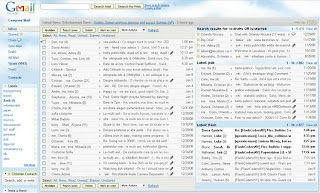
This feature makes it possible for users to have more than one 'inbox' in their default Gmail view. The look of Gmail changes so that you have your traditional inbox on the left and then a right pane with the emails you want (or need) to see separately.

It’s creator introduces it in his blog post saying:

“I’m seriously into filters and labels. All the email I get related to Flash goes under my “flash” label, everything about paragliding goes under “flying,” and they all skip my inbox because that’s how I like to stay organized. But when new email arrives I have to switch to the “flash” label first, then click on “paragliding,” etc. I wanted a way to see it all at once.”

To select this feature, head over to Google Labs section and enable Multiple Inboxes. Once enabled, it will automatically bring up your draft emails in the right pane but you can configure the feature from Settings so that you can see starred emails or particular folders (which of course Google calls Labels).


You can obviously choose how many inboxes you want. To do the same go to settings and select the Multiple Inboxes tab (after you have enabled the feature). There is great personalisation. You can select the labels and even the number of posts you want to see so that you’re screen isn’t too cluttered.

I think it’s an awesome feature because its almost like having 2/3 screens at once as far as mail is concerned and makes it very convenient if you’re using a lot of labels. This feature was created by Octavian “Vivi” Costache in his 20% time that Google offers their employees.


Read more...

As a result bringing a kind of solution for the content blocking ISPs, Google has introduced Measurement Lab. Measurement Lab (M-Lab) is an open platform for researchers to deploy Internet measurement tools. By enhancing Internet transparency, it aims to help sustain a healthy, innovative Internet. Now Google, the New America Foundation's Open Technology Institute, the PlanetLab Consortium, and academic researchers are taking the wraps off of Measurement Lab (M-Lab). The network diagnostic tool, meanwhile, can measure the speed of a user's internet connection.

The open platform is still in its infancy, Google says. But it is providing 36 servers to researchers in 12 locations in Europe in the United States, with the hope that they can come up with new applications to improve internet transparency. An application that allows users to monitor if they are being obstructed online isn't new, but Google says M-lab stands for more than just a throttle test - it provides the infrastructure for developing other tools to measure connectivity.

"M-Lab is intended to be a truly community-based effort, and we welcome the support of other companies, institutions, researchers, and users that want to provide servers, tools, or other resources that can help the platform flourish," Google vice-president Vint Cerf and principal engineer Stephen Stuart said on a Google blog.

For more details visit Google Official Blog.


Read more...

After the Mumbai attack, the talk of the town was about theGoogle Earth has helped the terroists who involved in the attack. Google Earth is a virtual globe, map and geographic information program that was originally called Earth Viewer, and was created by Keyhole, Inc, a company acquired by Google in 2004. It maps the earth by the superimposition of images obtained from satellite imagery, aerial photography and GIS 3D globe.

During the month of November, there happened a deadly attacks in Mumbai by the terrorists. Sources says that Google earth was used by the terrorists for the exact map and location and distance etc., Google completely disagrees with this slipshod logic.


Google says, that terrorists can use maps, electronic or otherwise anything, for Evil, which isn’t Google’s fault. The evilness is in the philosophies and the desires of those that want to do evil. They will use the tools at hand to do that, whether it’s throwing a Molotov cocktail, or shooting a rifle or using some piece of technology as part of the process.

Post-Mumbai, Google Earth has been called “the Google threat.” Even the venerable British Army has expressed concern about the program. But we don’t understand how it can. Are we to ban cellphones because, you know, Bad Guy 1 can SMS his location to Bad Guy 2? Or maybe we should shut down Casio for creating the alarm clock that awoke Bad Guy 3 on the day of an attack? It’s silly.


Read more...

If you had noticed today, there was an error occurring in the Google search results which listed all the search results along with a appended warning message as “This site may harm your computer”.

Google’s VP of Search Products Marissa Mayer has just responded to the issue today that marked all Google results with the warning “This site may harm your computer” and advised users not to visit them. The problem, she says, "It was simple human error: when importing the malware list from StopBadware.org, the URL ‘/’ was unintentionally added, meaning that every website would be included".

She also added that, "We do this to protect our users against visiting sites that could harm their computers. We work with a non-profit called StopBadware.org to get our list of URLs. StopBadware carefully researches each consumer complaint to decide fairly whether that URL belongs on the list. Since each case needs to be individually researched, this list is maintained by humans, not algorithms. We periodically receive updates to that list and received one such update to release on the site today. Unfortunately (and here’s the human error), the URL of ‘/’ was mistakenly checked in as a value to the file and ‘/’ expands to all URLs."

She also said, "Thanks to our team for their quick work in finding this and fixing this within 40 minutes. And, our apologies to any of you who were inconvenienced, and to site owners whose pages were incorrectly labeled. We will carefully investigate this incident and put more robust file checks in place to prevent it from happening again."


Read more...

Today the world's number one search engine stumbled with a Malicious Software Warning for sometime around the evening. If you had guessed it Google, you are right. When any text was searched, the list of search results appeared normally as it used to. But every search result had a warning below it saying "This site may harm your computer".

The most peculiar thing was that, even when the text Google was typed in the search box, the same warning was given for google website itself as shown in the below picture. And inspite of the warning when the link was clicked from the search result, the Malware Warning page was displayed.


This problem was fixed in an hour by Google after which the search process became normal. Generally this warning message will appear with search results as when that site might be dangerous that it may install malicious software on your computer.


Read more...

Ma.gnolia is a free, public service for saving links to websites. Most users rely on it as a bookmarking storage service, or a place to save links that they may want to revisit later. Links can be saved privately or shared publicly, so that they can be browsed by other users looking for new destinations.

Unfortunately, there was a meltdown at the website Ma.gnolia on Friday morning. The service lost both its primary store of user data, as well as its backup. The site has been taken offline while the team tries to reconstruct its databases, though some users may never see their stored bookmarks again.

The failure appears to be catastrophic. The company can't say to what extent it will be able to restore any of its users' data. It also says the data failure was so extensive, repairing the loss will take "days, not hours."

On Friday morning, company founder Larry Halff issued an apology on the homepage along with the following note:

"Ma.gnolia experienced every web service's worst nightmare: data corruption and loss. For Ma.gnolia, this means that the service is offline and members' bookmarks are unavailable, both through the website itself and the API. As I evaluate recovery options, I can't provide a certain timeline or prognosis as to to when or to what degree Ma.gnolia or your bookmarks will return; only that this process will take days, not hours."

In light of today's outage, many are questioning the reliability of web apps and web-based storage in general.


Read more...

Deleted Emails can be Recovered

Posted by Prem Godara | 1/31/2009 11:27:00 PM | , , | 1 comments »

Most of us assume that a deleted or lost email can never be recovered back. But there are ways to recover the deleted email back. There are two different types of email and fortunately, both types are recoverable. Overall email recovery is fairly simple process. First we must ascertain what type of email we are using. It should be either web based or client based. Free email addresses such as those provided by Yahoo or Gmail are web based. This means the place where your emails are stored in on the huge server for these companies. The other prevalent form of email is a locally based email client. These systems send, receive and store emails right on your computer.

Each of these email types requires a different approach for email recovery. Browser based emails use a general data recovery program for email recovery. All one need to do is have the program scan for damaged files in the temporary internet files folder and the software will bring up any files marked placed in marked as available space allocations.

Client based email systems like Microsoft Outlook and Outlook Express require email recovery programs built specifically to recognize their files and retrieve them.


Read more...

All Film Genres Search Available on New Website

Posted by Prem Godara | 1/31/2009 11:16:00 PM | , , | 0 comments »

The UK Film Council, has set a website to which will vastly speed-up and simplify movie searches. Movie buffs can now get information as to which film is being shown at which cinema hall on a new website. Internet users can search for movies as well as where and how they can be watched on this site.

This website also gives cinema listings, DVD sale and rental options, and suggests legal download sites. More than 30,000 films-including action movies, thrillers, classics, and Bollywood hits-are said to be part of the catalogue. The website not only searches the film, but also brings up all the formats it is available in. It even provides information on proximity, price, and popularity.

Movie buffs can read a synopsis of the film, watch the trailer, and even click through to book tickets or buy or rent the DVD. Just in case a film being looked for is unavailable in the UK, the user can sign up to receive an email alert when it finally reaches these shores.

"This new site is going to transform how consumers find the films they want to watch - we will soon wonder how we ever coped without it," Sky News quoted Peter Buckingham, the head of distribution and exhibition at the council, as saying. "We have turned what was often an incredibly time-consuming, frustrating process into one that makes it much easier for film fans to see films in the UK," he added.


Read more...

Get Read Receipts for Your Mails

Posted by Prem Godara | 1/31/2009 11:06:00 PM | , , , , | 0 comments »

There are times when you need some help on keeping track of the emails that you send by way of delivery notifications or read receipts but currently, none of the web-based emails, including Yahoo Mail, Gmail, Hotmail, AOL Mail and many others, offer any kind of delivery notifications or read receipts except rediffmail.com.

Even when you send a message using Microsoft Outlook, Eudora or Lotus Notes (that allow you to request read receipts), the Internet email service would simply ignore the request and you may never get to know if the message was read by the recipients or delivered at all.

There are three ways by which you can know whether your mail has been read by the recipient.

First one is by using a service called SpyPig. It is a simple and freeware online email tracking system that sends you a notification email as soon as the recipient opens and reads your message. The notification email will have details about the IP address and the number of times your email has been read.

Using SpyPig is very simple. Open the SpyPig website and type your email address where you wish to receive the notification and the message title in the notice form. Then choose the tracking image which you want to embed in the email and select the number of times you want to receive notifications.

Next, click the button to create and activate the SpyPig tracking image. Now, just drag and drop the tracking image in your outgoing email message. For SpyPig to work you and the recipient must use HTML-formatted email rather than just a plain-text or rich-text formatted email.

The second option is by using Statcounter. Create a free account in it and go to the install code options, choose invisible tracking button and HTML only counter. Statcounter will now provide you an HTML image snippet that you have to insert inside the body of your HTML email message.

This will be a white GIF image which will be invisible to the human eye and as soon as your friend opens up your email, your statcounter logs will be updated. You will know the details like IP address of his computer and the date time when the email was opened.

The above option won't work if the recipient has configured his email client to block downloading of images from the internet automatically.

The third and the final option is by using Google Analytics. It involves embedding a tracking code as an external link in your email message. Whenever the recipient clicks on that link, Google Analytics will record that the link has been clicked thus indicating that the email has been read.

The advantage of this method is that no image is downloaded on the client's side but it could fail if the recipient doesn't click the hyperlink.

Do leave comments telling which trick helped you better.


Read more...

If you had used the Google Toolbar on Firefox, then you might be pretty familiar with many features of Toolbar 5 (beta) has to offer. Now a couple more features to the Firefox Toolbar are added and the same is available for download. You can download this "second beta" to get all the latest and greatest Google Toolbar features.


The most specialized featured about the beta 2 version is that now you can get a personalized page showing thumbnails of your most visited websites in Firefox just like Google Chrome. This feature is included, so that you can access your most visited websites quickly without having to type a word.

When you open up a new tab, instead of the blank white page you see by default in Firefox, you can instead see small thumbnails of your favorite sites (up to 9), as well as recently-closed and bookmarked pages based on your browser history. If for whatever reason you don't like this updated new tab page, you can always change it back to a blank page or to the website of your choice through either your Toolbar or Firefox settings. Another cool feature is that you have the option to choose which thumbnails are displayed, just click on Edit thumbnails link at the bottom.

This personalized new tab page will surely save few seconds that you used to type in few words at address bar. Apart from this more features are added to the beta 2 release which can checked in the official Google Blog.


Read more...

Moving Feedburner Feeds to Your Google Account

Posted by Prem Godara | 1/31/2009 09:31:00 PM | , , | 0 comments »

Many of you might already know that Google acquired Feedburner in 2007 but couple of months ago, Google announced that they would start migrating the feeds hosted on Feedburner to Google’s servers.

Initially, the publishers interested in using the new services like AdSense for feeds migrated but lately, there’s been news spreading about Google forcing Feedburner members to migrate their Feedburner account to their Google Account until February 28th.

If someone fails to make the transition by February 28th, Google mentioned that Feedburner feeds will start reporting a 404!

The following new features will be available after transition
  • You will be able to opt-in for AdSense for Feeds via your AdSense account.
  • Several enhancements have been made to the feed delivery for email. You must check out these settings!
  • Visitor tracking will be retired from Feedburner and you’ll have to use Google Analytics, which doesn’t offer real-time tracking.
  • Feedburner networks are no longer supported.
Steps to Migrate Feedburner Account to Your Google Account

1. If you know which Google Account you’d like to migrate your feed(s) to, go ahead and log into that account first. It’ll make your options for the migration more convenient for you.
1) Log in to your Feedburner account.
2) On your homepage, click on “Move your account now.” present between the yellow bar at the top as shown in the image below.


3) Choose your Google Account where you would like to move your feed to and click ‘Next"’.
4) In the next screen, you will see all of the feeds assigned to the Feedburner account that you’ve signed into.
5) Now, you can now move those feeds. Depending on the size of your RSS feeds, it might take a while though. The good thing is that you can close your browser window and keep working normally while Google’s servers do the work.

If you haven't transferred your feeds till now, then you still have time. In case, if you have already transferred, do let know whether they are working normally.


Read more...

Access Gmail in Offline Mode

Posted by Prem Godara | 1/30/2009 12:37:00 AM | , , , , , | 0 comments »

Have you ever thought of accessing your mails without internet connection? Yes, you can. If you're a Gmail user, Google has just announced that you can use Gmail while offline by installing Google Gears, which is a Google plug-in for Firefox and IE that allows storage of certain information so it can be accessed offline.

Google Gmail LogoOnce you enable offline Gmail, Google Gears downloads a cache of your mail; then, when ever you have a limited or no connectivity, Gmail can switch to offline mode. You can send and receive messages (which will be saved in your outbox and then will be sent when Gmail detects a connection) and also use other Gmail features as if you're online.

Once this option is established throughout, then follow the below steps to activate this feature,

1) Click Settings and click the Labs tab.
2) Select Enable next to Offline Gmail.
3) Click Save Changes.
4) After your browser reloads, you'll see a new "Offline0.1" link in the upper right hand corner of your account, next to your user name. Click this link to start the offline set up process and download Google Gears if you don't already have it.

This feature will be unveiled in couple of days in US or UK. For more details visit Gmail blog.


Read more...

Your Ad Here